Configure the Agent
Set up your MCP agent with a name and instructions that help AI understand how to interact with your application. Each MCP-enabled application has an agent that represents its AI-facing interface.
Go to your Project, click the MCP icon in the sidebar, and select the Agent tab.
View all settings
| Setting | Description |
|---|---|
| Name | Text input, required. Unique identifier for the agent (for example, Customer Orders). |
| Instructions | Multi-line text, required. Describes agent purpose and available data. |
Agent Setup
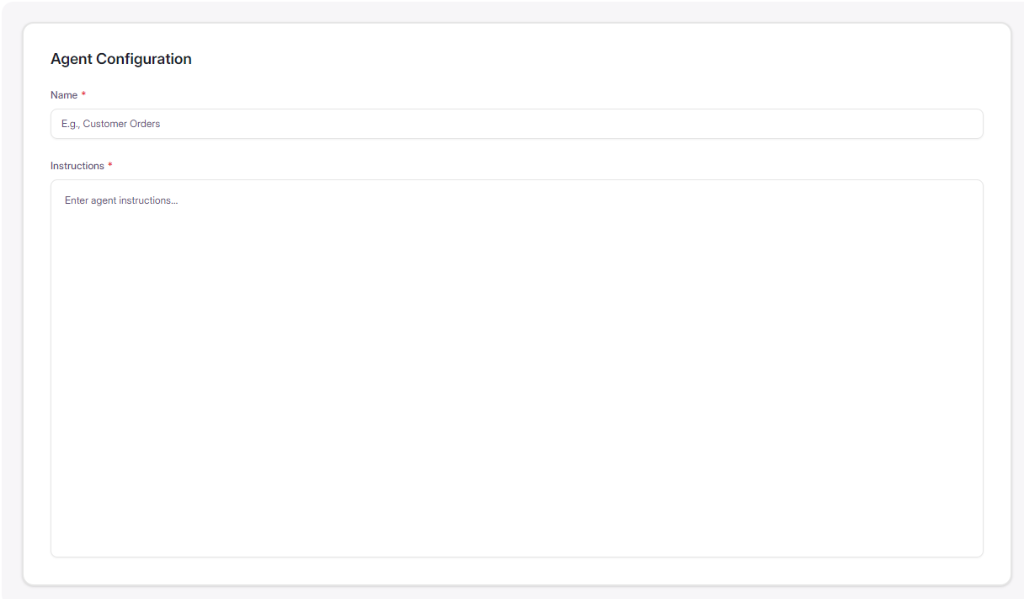
Name
The agent name identifies your application to AI clients. It should be:
- Descriptive - clearly indicates the application's purpose
- Unique - distinct across your organization
- Readable - uses proper casing like
Customer OrdersorInventory Manager
Examples:
Customer Orders
Finance Agent
Inventory Manager
Instructions
Instructions describe what the application does and how AI should interact with it. Good instructions include:
- Purpose of the application
- Types of data available
- Common use cases
- Important constraints
Example:
Use this application to query financial data and generate
summaries. Available data includes transactions, revenue,
expenses, and budget information. Always specify date ranges
when querying historical data.
Best Practices
| Do | Don't |
|---|---|
| Use clear, descriptive agent names | Use generic names like "app" or "agent" |
| Provide context about data and capabilities | Leave instructions empty |
| Document constraints and requirements | Assume AI will know implicit rules |
| Keep instructions concise but complete | Write lengthy paragraphs of documentation |
Next Steps
- Adding Tools - Define what AI can access
- Generating Code - Export your MCP-ready application